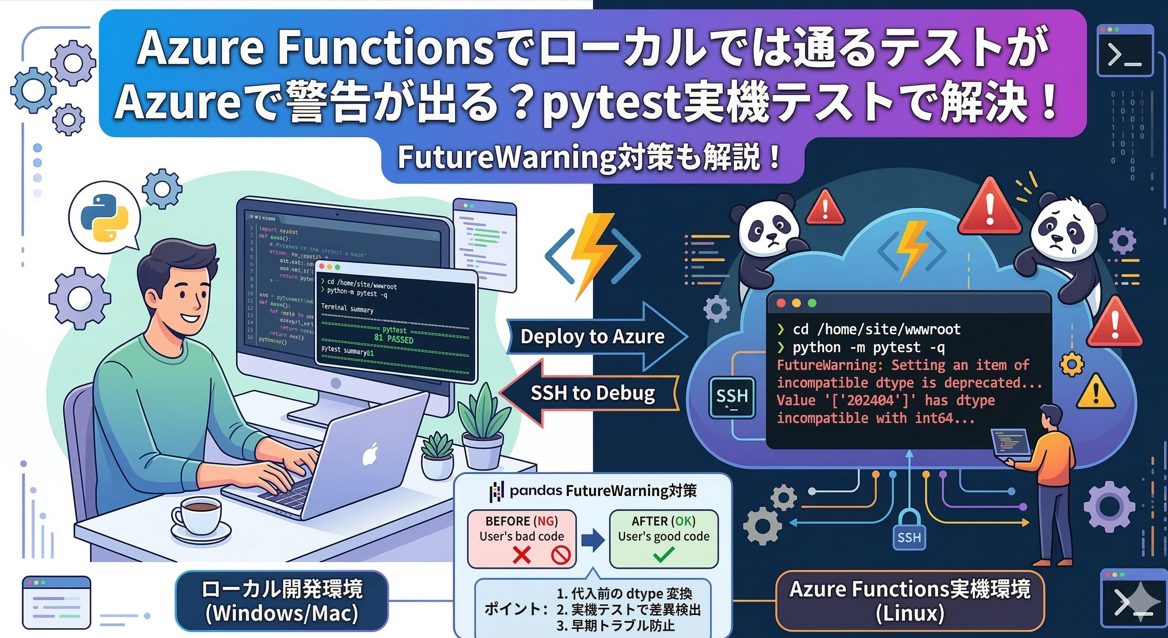
Azure 実機で pytest を実行する理由と、FutureWarning の具体的な対策
Azure Functions(Python)では、ローカル環境と Azure の実行環境が一致しないことが多く、次のような現象が起きやすくなります。
- ローカルでは警告なし
- Azure では FutureWarning が大量に出る
- ローカルでは動くのに Azure では動かない
これらは Azure 上で pytest を実行することで正確に把握できます。
Azure 上で pytest を実行するメリット
1. Azure 固有の FutureWarning を正確に確認できる
Azure Functions の Linux コンテナは、ローカルと異なる pandas バージョンを持つことがあります。 そのため、ローカルでは出ない警告が Azure では出ます。
実際の警告例:
FutureWarning: Setting an item of incompatible dtype is deprecated and will raise in a future error of pandas.
Value '['202404']' has dtype incompatible with int64, please explicitly cast to a compatible dtype first.
FutureWarning: Setting an item of incompatible dtype is deprecated and will raise in a future error of pandas.
Value '['2024' '2025']' has dtype incompatible with int64, please explicitly cast to a compatible dtype first.これは int64 の列に str を代入しているために発生します。
FutureWarning の原因と対策
原因
pandas の DataFrame で、列の dtype と異なる型の値を代入していることが原因です。
例:
- 列 dtype:
int64 - 代入する値:
"202404"(str)
pandas 2.x 系ではこの動作が非推奨になり、将来エラーになります。
対策
代入前に 列の dtype を明示的に変換しておく必要があります。
以下では df 名を一般化して記述します。
❌ NG(FutureWarning が出る)
df.loc[:, "year_month"] = df["year_month"].astype(str)✅ OK(dtype を先に変換してから代入)
df["year_month"] = df["year_month"].astype(str)または、列を最初から文字列型として扱う:
df = df.astype({"year_month": "string"})ポイント
- 「代入時に dtype が変わる」書き方が FutureWarning の原因
- 代入前に列の dtype を揃えておけば警告は消える
- Azure 上の pandas はローカルより厳しいため、実機での確認が重要
OS 差異によるバグも Azure 実機で検出できる
Azure Functions は Linux 上で動作するため、ローカル(Windows/Mac)との差異が発生します。
- パス区切り文字(
\と/) - Linux 固有の依存ライブラリ
- ファイルシステムの挙動
Azure 上で pytest を実行すれば、デプロイ後の挙動をそのまま再現できます。
Azure 上で pytest を実行する手順
SSH で Azure Functions に入る
Azure Portal → Function App → 開発ツール → SSH
実行ディレクトリへ移動して pytest を実行
cd /home/site/wwwroot
python -m pytest -q
これで Azure 上の実際のコンテナでテストが動き、FutureWarning も含めてすべて確認できます。
まとめ
- Azure Functions はローカルと Azure でライブラリバージョンが異なることがある
- pandas の FutureWarning は Azure 上でのみ発生するケースが多い
- dtype 不一致は 代入前に列の dtype を変換することで解決できる
- Azure 上で pytest を実行すれば、環境差異による不具合を確実に検出できる
Azure 実機で pytest を回すことで、ローカルでは再現しない問題を早期に発見し、安定した運用につながります。

コメント